



Apple Inc.
The tech giant's iOS 27 is supported on iPhone 11 and newer models, plus iPhone SE (2nd generation) and later. That leaves iPhone XS, XS Max, XR, and older devices behind. Apple Intelligence and Siri AI require iPhone 15 Pro or Pro Max, or iPhone 16 and later, meaning many phones receiving iOS 27 still miss its biggest AI additions.
New Features To Look Out For:
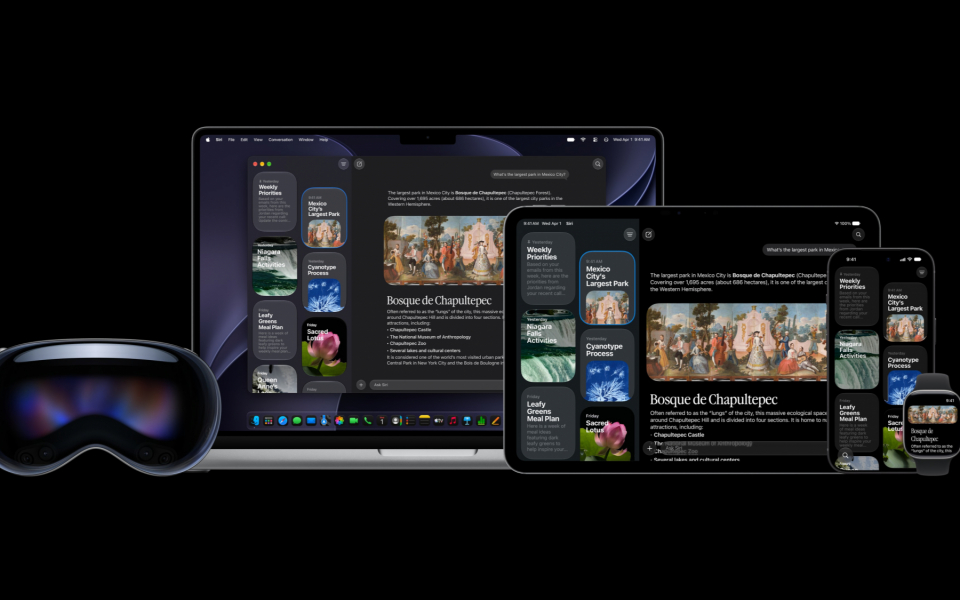
Siri Gets Its AI Overhaul
Siri AI can search personal context across messages, email and photos, act across apps and answer questions about on-screen content. Apple also added a dedicated Siri app for revisiting conversations. The upgrade has already drawn analyst attention. Siri AI is rolling out in English first.
Visual Intelligence Enters Camera
A new Siri mode in Camera lets users point at objects, ask questions and take actions directly from the viewfinder.
'Photos' Gets Smarter Editing
Spatial Reframing changes composition after capture, Extend expands image boundaries, and an upgraded Clean Up removes larger distractions with more realistic fill.
Safari Organizes And Monitors Pages
Safari can now group tabs automatically by topic. A new 'Notify Me' feature within the browser can watch webpages for changes such as price drops or restocks and sends alerts.
Messages Suggests Useful Actions
Messages and Mail can now offer context-based one-tap suggestions, such as adding a reminder or note. Apple says these suggestions are initially available in English.
Calls Surface Relevant Information
Call Context can pull useful details from other apps during business calls, including confirmation information stored in Mail.
Parents Get More Controls
Ask to Browse lets parents approve new websites. Time Allowances and Schedules manage app access, while Communication Safety expands to intervene around violent or gory images and videos.
iPhones Should Feel Faster
Apple says app launches can be up to 30% faster, Photos can load new images up to 70% faster, and AirDrop transfers up to 80% faster. Liquid Glass also gets improved contrast control and a customization slider.
Before You Update
Apple recommends backing up through iCloud or a computer first, then updating while connected to Wi-Fi and power. Users should also check available storage before installing, though the update file size will vary by device model.